The FarmPortal update of 7 October 2026 introduces new features for managing agricultural employees and farm spatial data. We have added work crews with assignment history, employee advance records, printable working time reports and field boundary exports to KML, SHP and GeoJSON. We have also improved the preparation of soil sampling sectors.
The new features make it easier to organise work on agricultural, fruit and horticultural farms, maintain employee records and exchange spatial data with other tools.
What is new in FarmPortal on 7 October 2026?
- Work crew management: create teams, assign employees, designate crew leaders and track changes in team membership.
- Employee advances: record amounts, currencies, dates, statuses and payment methods.
- Working time records: generate and print an employee's working hours report for a selected period.
- Field boundary exports: save field geometry in KML, SHP and GeoJSON formats.
- Soil testing: preview a sector's area in hectares while drawing it on the map.
- Additional improvements: send files to supported devices, plus fixes to forms and reports.
Managing work crews and employees on an agricultural farm
Organising seasonal workers requires up-to-date information about team membership. The new Work crews module in FarmPortal lets you create and manage groups of employees carrying out specific tasks, for example during fruit harvesting, field work or work in a sorting facility.
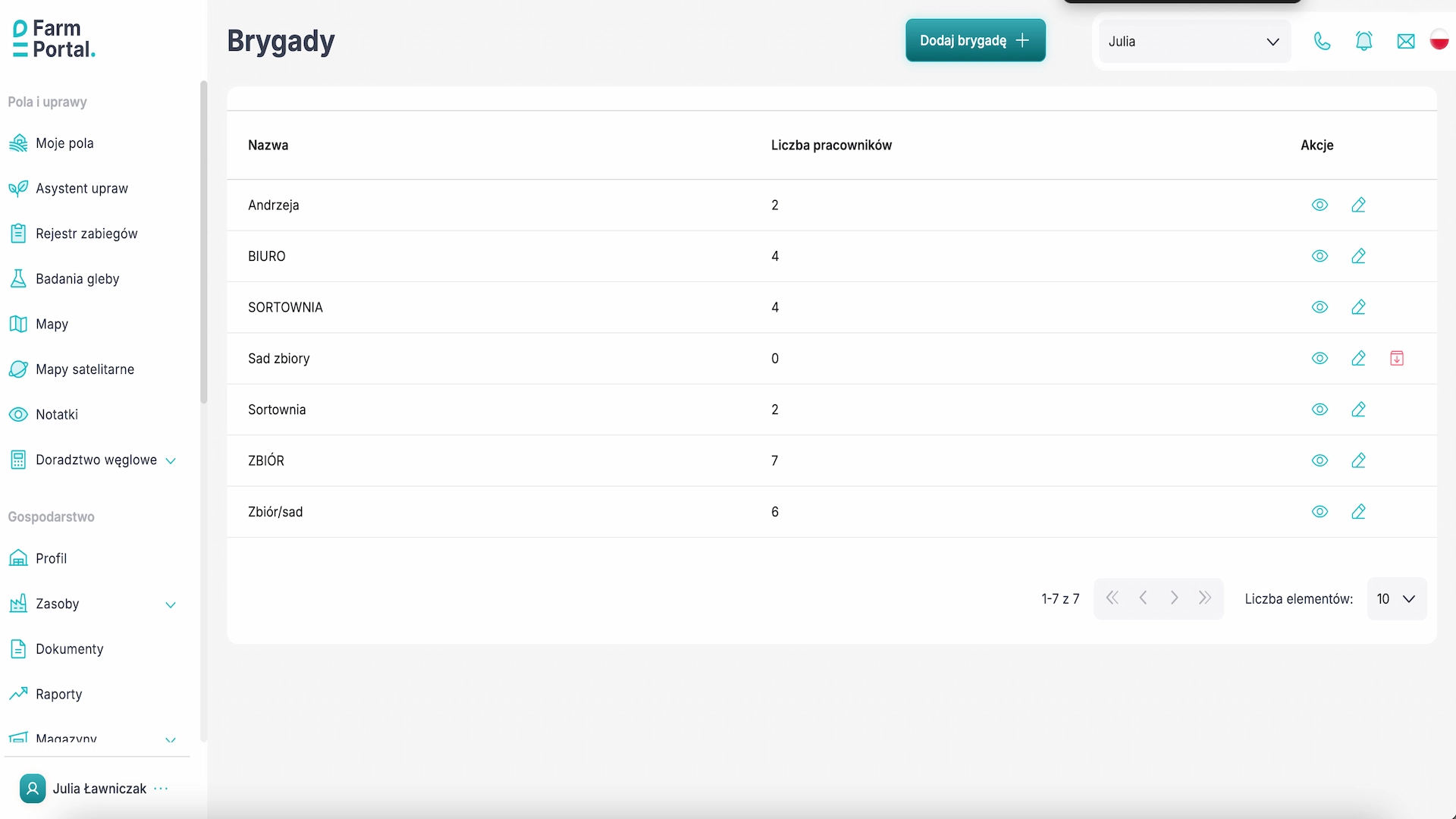
You can create, edit and archive work crews, assign employees to them and check the number of people belonging to each team.

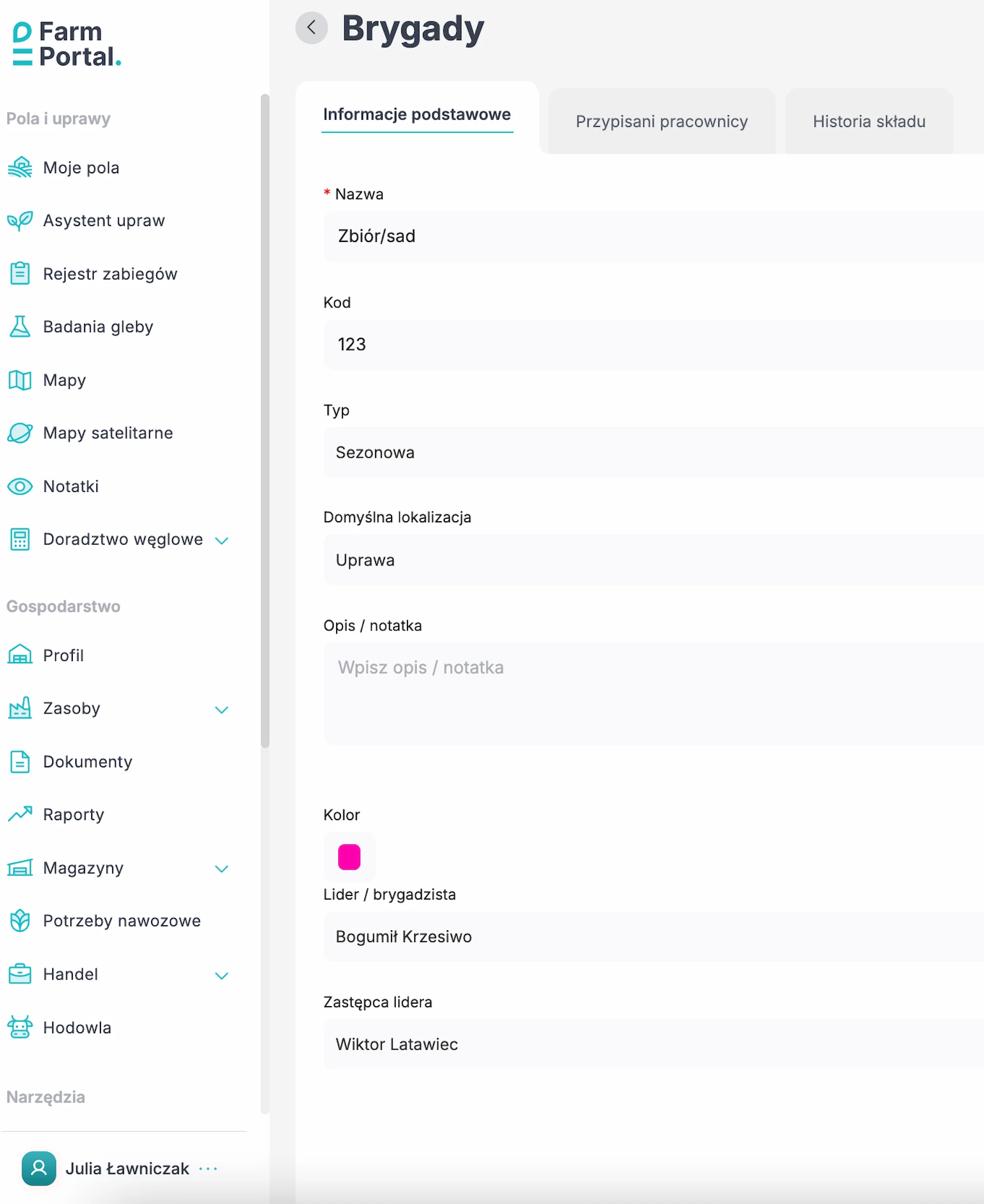
What information can you assign to a work crew?
The Basic information tab contains the following fields:
- crew name and code;
- crew type;
- default location;
- description and note;
- colour identifying the team;
- leader or crew supervisor;
- deputy crew leader.
History of employee assignments to work crews
The new module retains information about previous team membership. After employee assignments change, their history remains available in the Membership history tab.
You can view the current team membership in the Assigned employees tab. This allows the farm manager to monitor current crew staffing and check previous assignments.
Viewing current crew staffing
The current working time view compares the number of people currently working with the total number of employees assigned to each crew.
For example, the “Harvest/orchard” crew may have six assigned employees, and the view lets you check how many of them are currently working.
Where to find the feature: Farm → Resources → Work crews.
Learn more about managing seasonal workers and settling harvest work in FarmPortal Worker.
Employee advance records on an agricultural farm
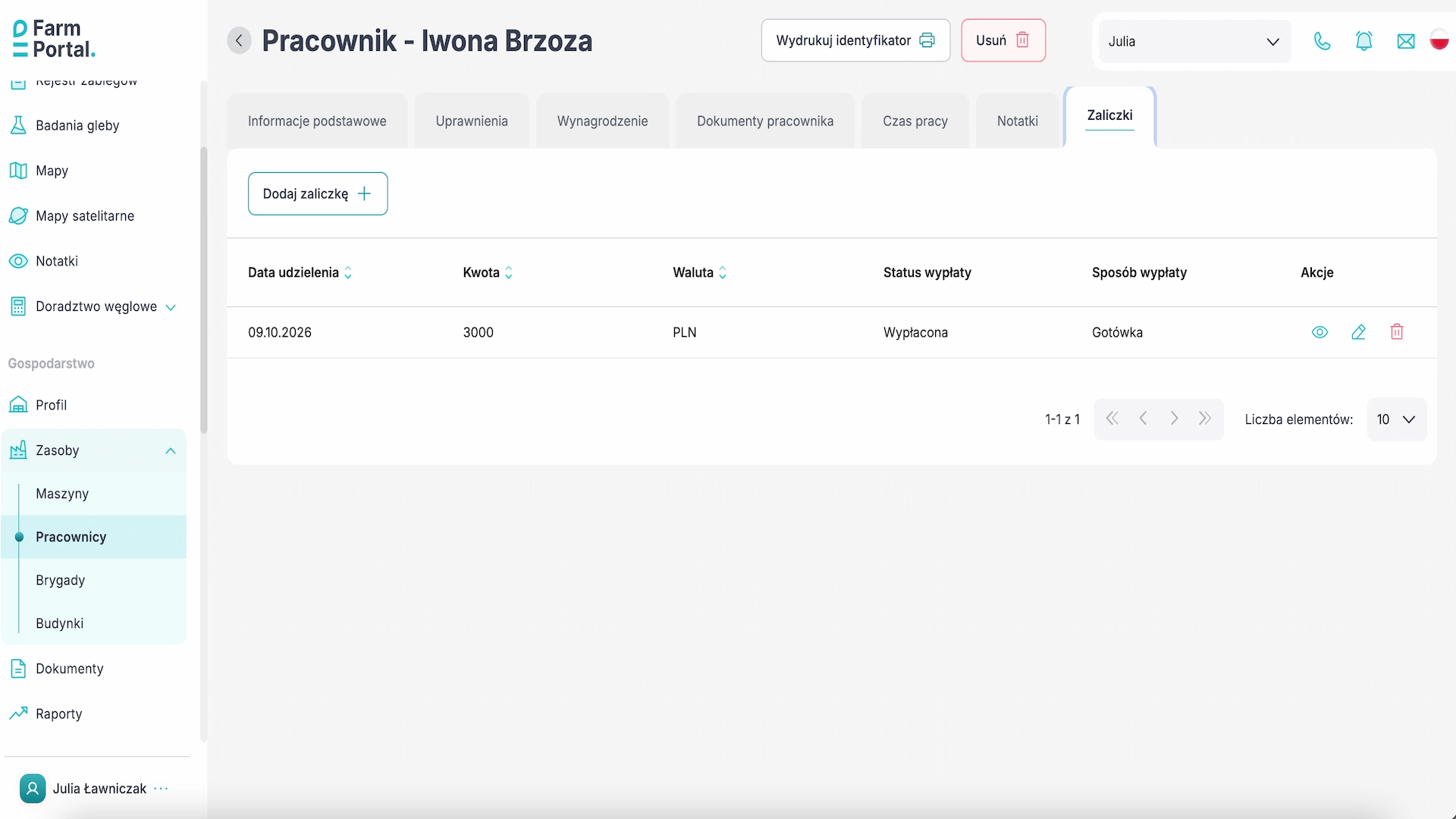
FarmPortal now lets you keep employee advance records directly in employee profiles. All registered advances for a selected person are available in a dedicated tab.
Users can add new advances, view previous entries, edit them and delete them.
What data does an employee advance contain?
- the date the advance was granted;
- the amount;
- the currency;
- the advance status;
- the payment method.
For example, an entry may record an advance of PLN 3,000, with the status “Paid” and the payment method “Cash”.
How do you add an employee advance?
- Open Farm → Resources → Employees.
- Select an employee from the list.
- Go to the Advances tab.
- Click Add advance.
- Enter the details and save the entry.
Keeping advance records in one system makes it easier to organise payment information and review the history of registered advances for individual employees.
Agricultural employee working time records – reports and printouts
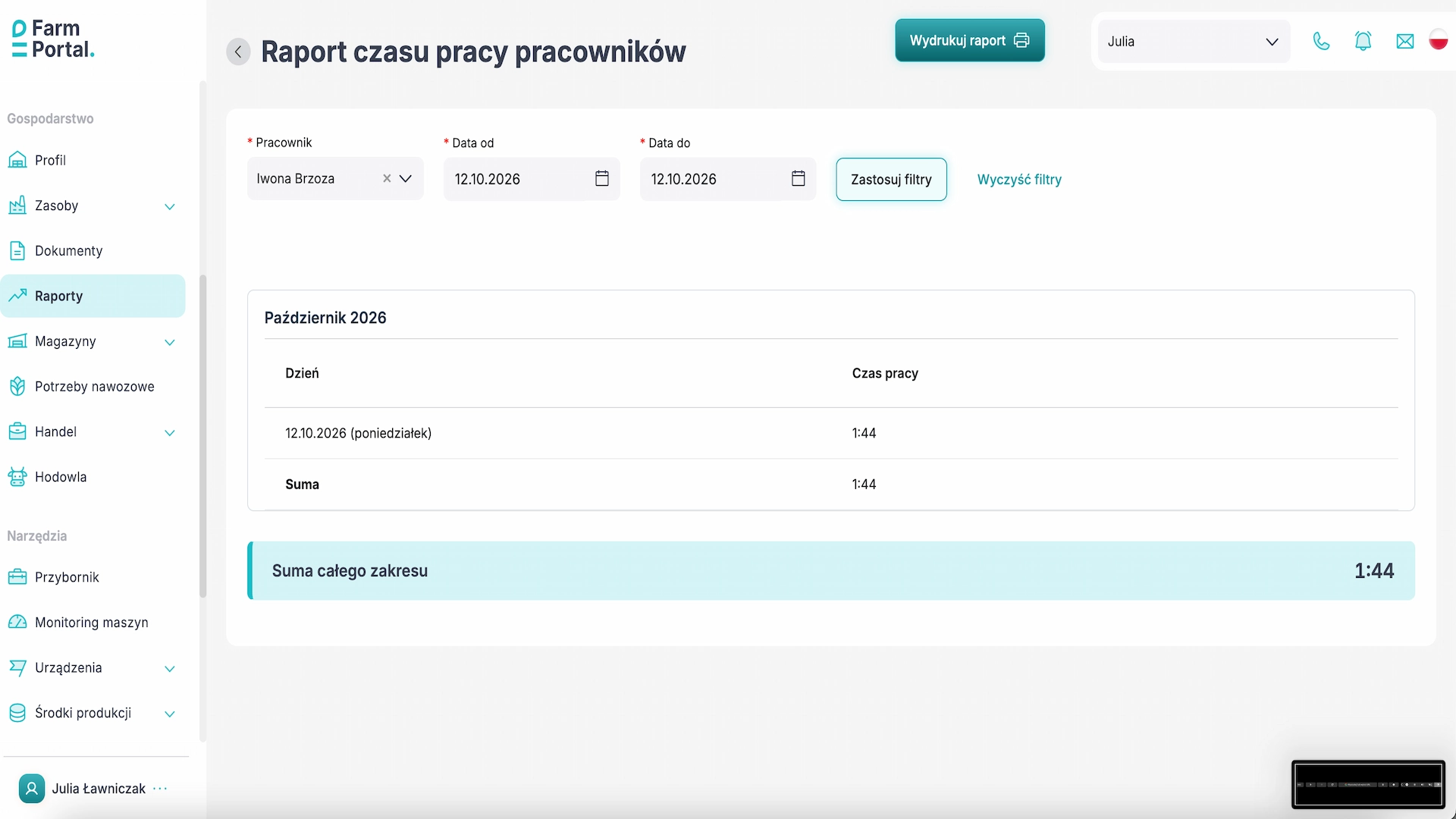
We have added the option to prepare an employee working time report for a selected date range. The report uses the working hours recorded in FarmPortal and presents them in a daily breakdown.
The report table includes:
- the work date;
- the day of the week;
- the working time recorded on that day.
This breakdown can be used for internal monitoring of working hours, checking records and preparing employee documentation.
How do you generate and print a working time report?
- Go to Farm → Reports → Employee working time report.
- In the Employee field, select the person the report concerns.
- Set the range in the Date from and Date to fields.
- Click Apply filters.
- Select Print report.
The printed report can form part of the farm's internal documentation. The scope of legally required working time records should always be adapted to the applicable regulations and type of employment.
You can find more information about work records, hourly and piece-rate settlements, and harvest recording on the FarmPortal Worker page.
Exporting field boundaries to KML, SHP and GeoJSON – farm spatial data
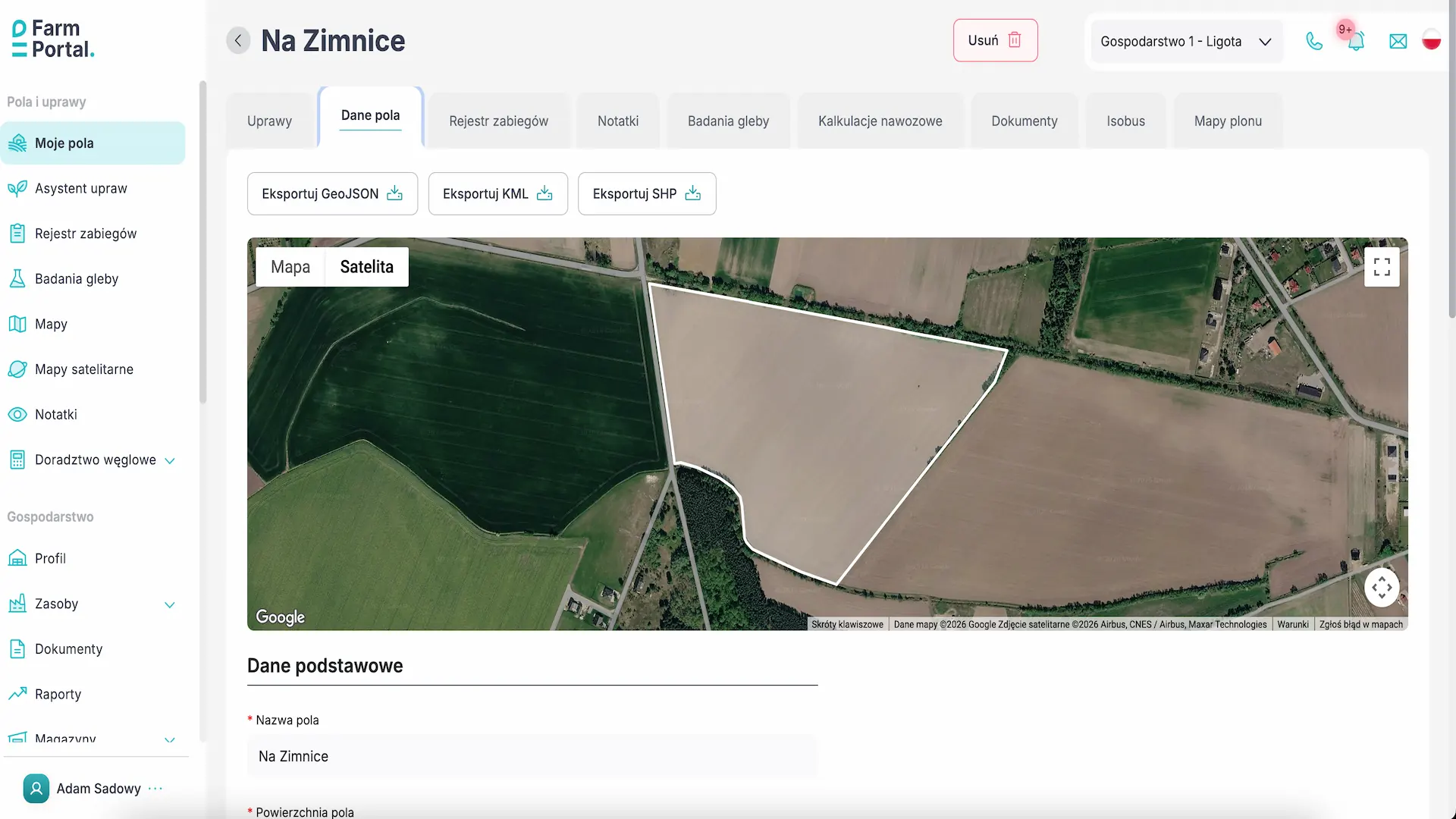
FarmPortal now supports field boundary exports to KML, SHP and GeoJSON. This allows field geometry saved on the digital farm map to be used in other compatible applications and GIS systems.
Exporting spatial data makes it easier to share it with agricultural advisers, prepare spatial analyses and work with field boundaries outside FarmPortal.
Which field boundary export format should you choose?
| Format | Example use |
|---|---|
| KML | Visualising field locations and boundaries in mapping applications such as Google Earth. |
| SHP (Shapefile) | Working with field boundaries in GIS software such as QGIS and ArcGIS. |
| GeoJSON | Transferring field geometry to web applications, GIS systems and tools that support GeoJSON. |
What can you use exported field boundaries for?
Exported data can be used to visualise field locations, transfer their geometry to external software and carry out further analyses on digital maps.
The ability to import and further use the files depends on the target system's features and the spatial data formats it supports.
Soil testing – preview sector area in hectares while drawing
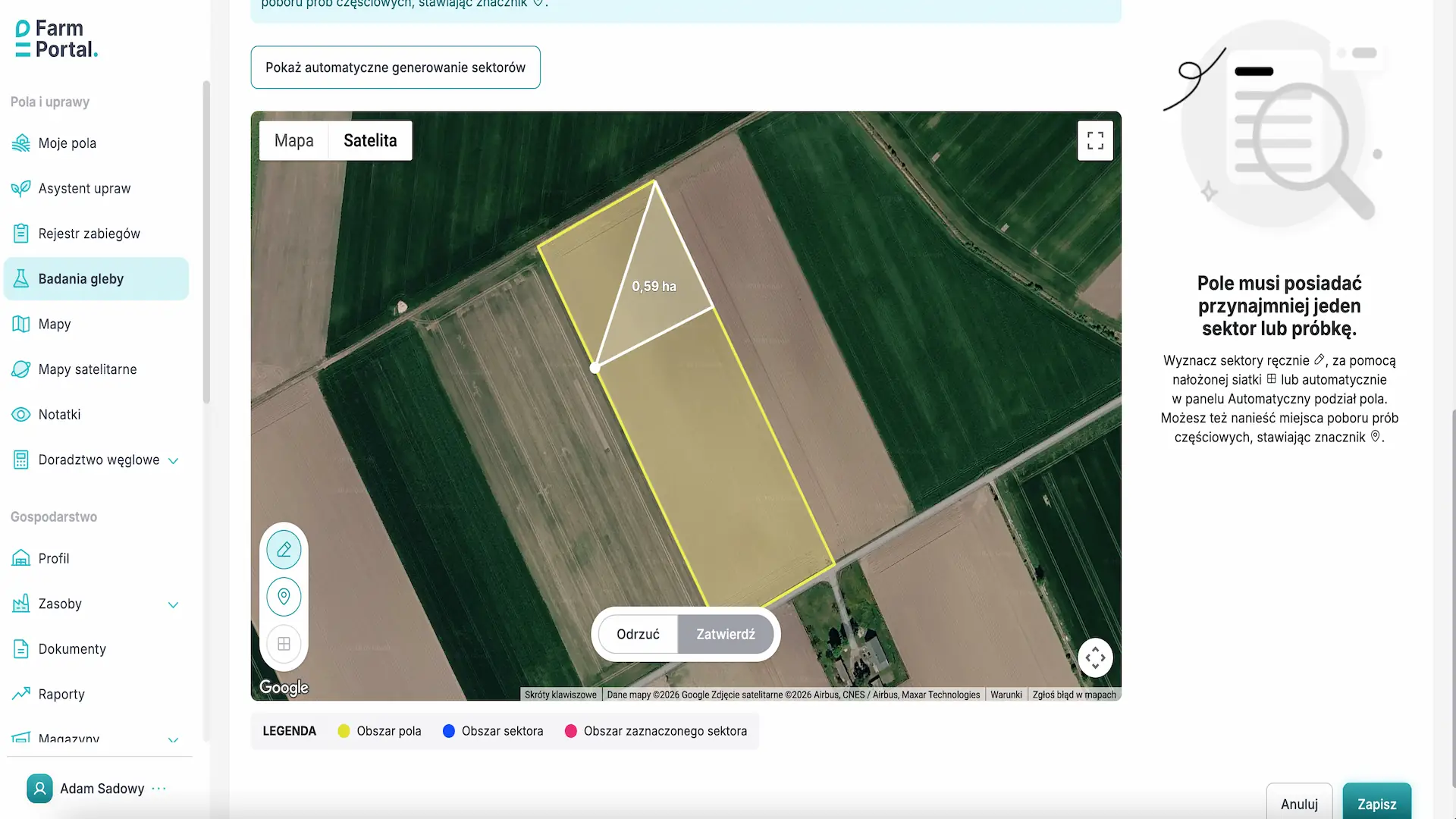
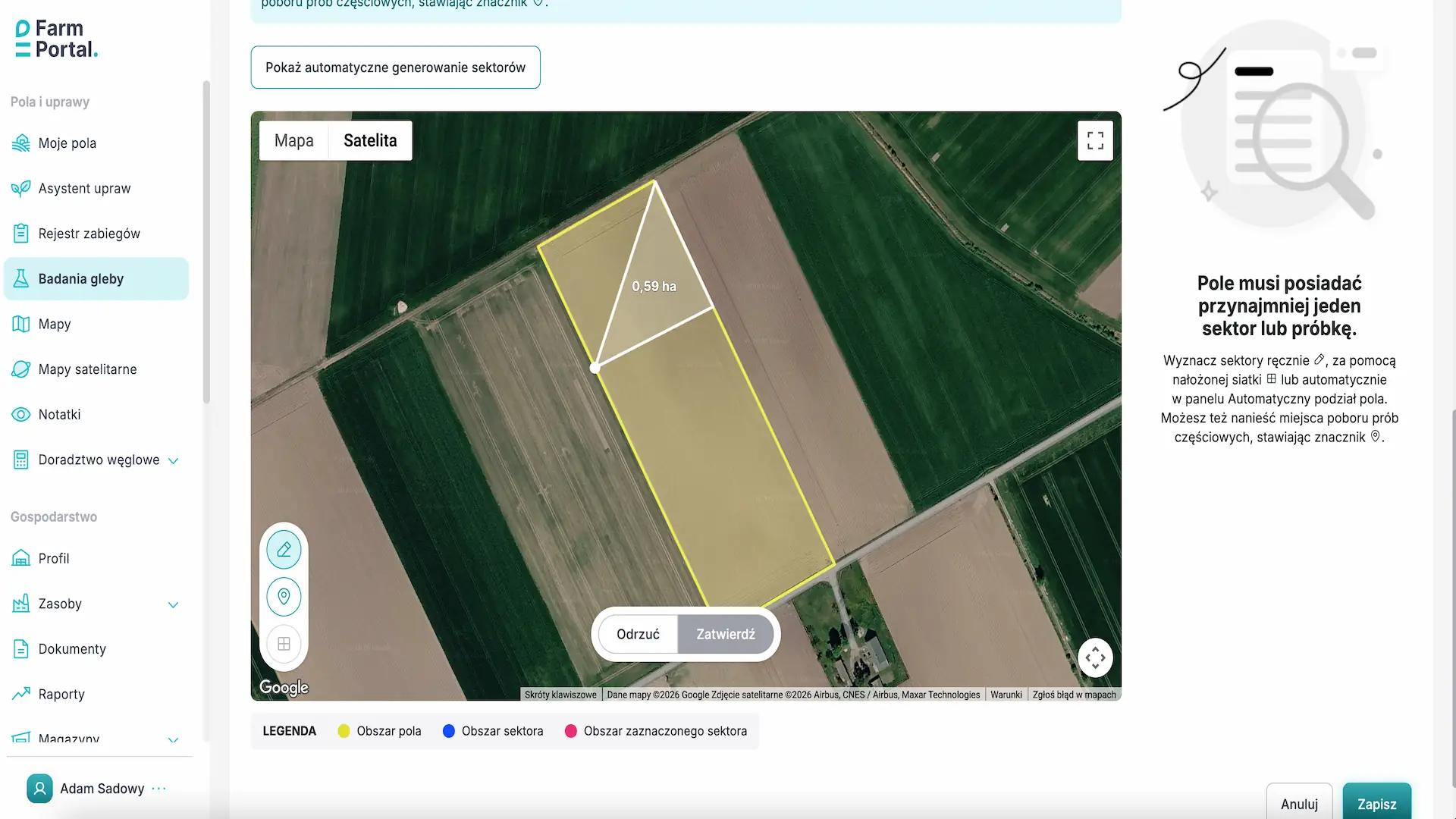
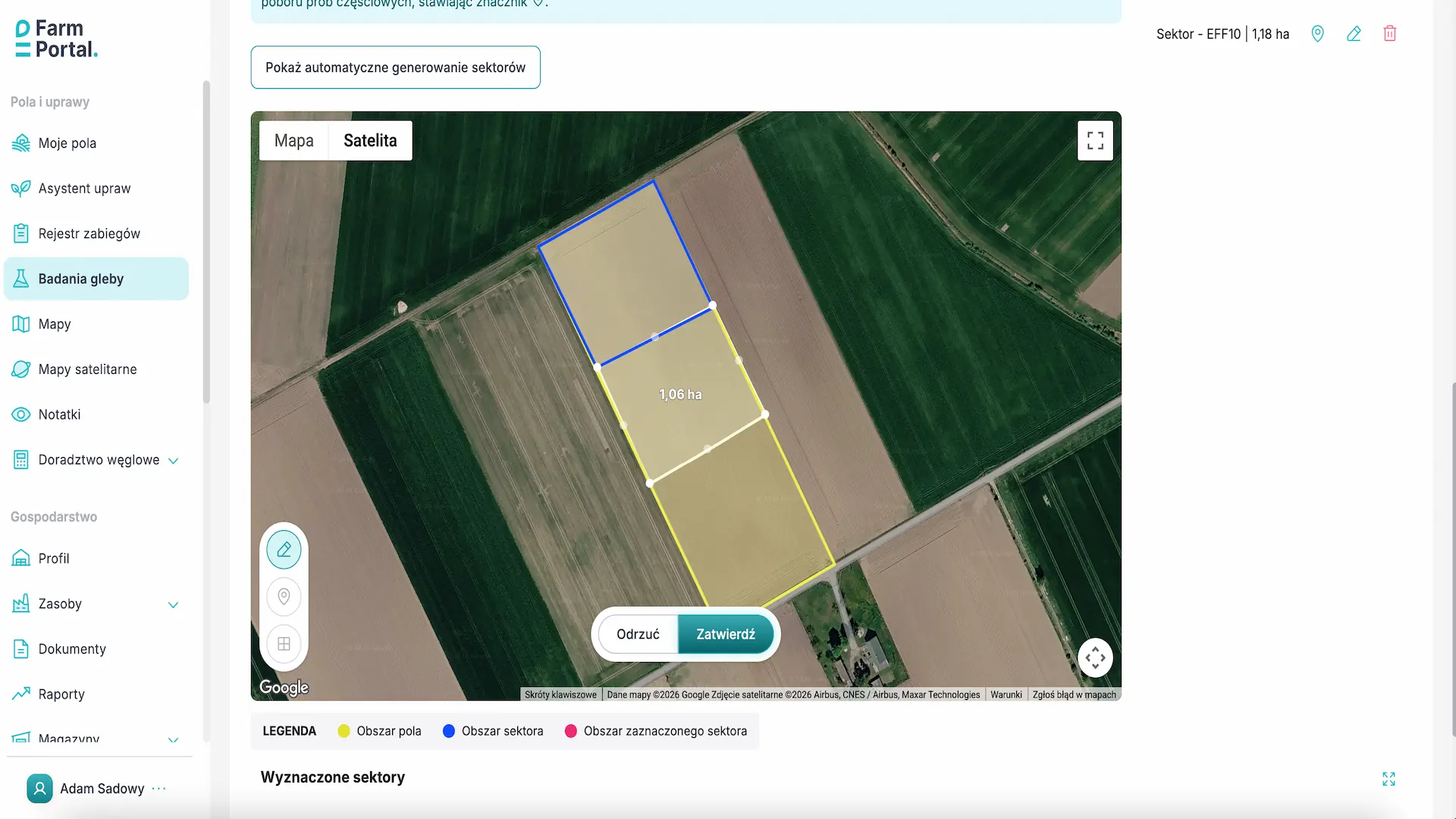
We have improved the preparation of soil sampling sectors on the farm map. When you manually draw a sector's boundaries, FarmPortal now displays the area being defined in hectares.
The area updates as the shape of the sector changes. This allows users to assess the size of the area before confirming its boundaries.
The feature makes it easier to plan the division of fields into soil sampling sectors and compare different boundary and area options.
Where to find the feature: Fields and crops → Soil tests.
Other FarmPortal changes and improvements
The update of 7 October 2026 also introduces the option to send files to supported devices.
We have also improved:
- data validation when manually adding working time entries;
- the data editing form;
- employee remuneration reports.
Frequently asked questions
Can FarmPortal manage several employee work crews?
Yes. FarmPortal lets you create multiple crews, assign employees, designate crew leaders and view current and historical team membership.
Does FarmPortal support employee advance records?
Yes. Advances can be recorded directly in employee profiles. Each entry includes the date, amount, currency, status and payment method.
How do you print an employee working time report?
In Farm → Reports → Employee working time report, select an employee, specify a date range, apply the filters and select Print report.
Which formats does FarmPortal export field boundaries to?
FarmPortal supports field boundary exports to KML, SHP (Shapefile) and GeoJSON. These allow field geometry to be used in compatible mapping applications and geographic information systems (GIS).
Can you see soil sampling sector areas while drawing them?
Yes. When you manually draw a sector on the map, FarmPortal displays its area in hectares before you save its boundaries.
Try the new FarmPortal features
FarmPortal is farm management software that brings together field and crop management, employees, working time records, machinery, production costs and spatial data.