See how to use the new FarmPortal features when planning fertilisation, working in the field and managing livestock.
FarmPortal team
Planning fertilisation on an application map
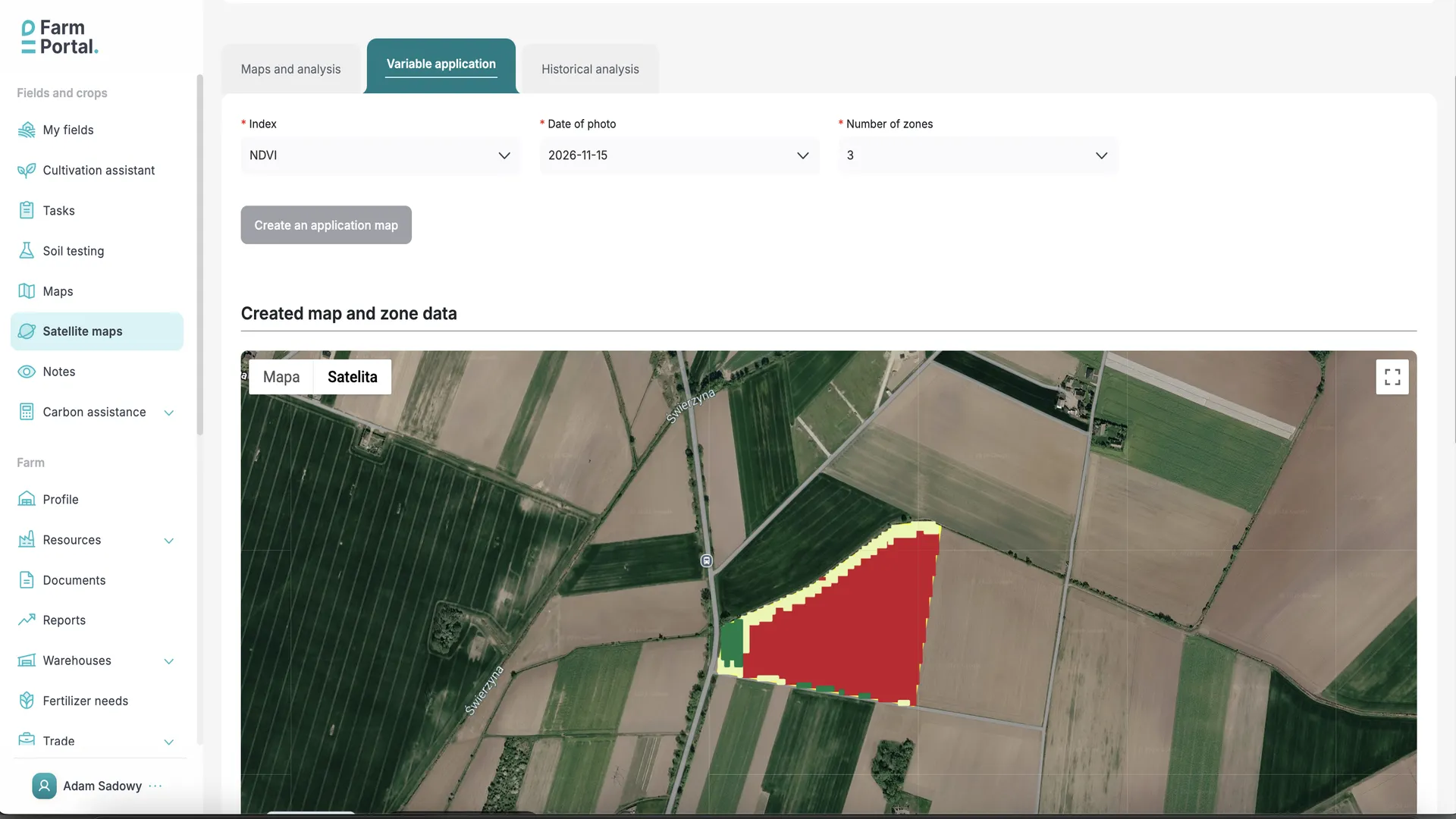
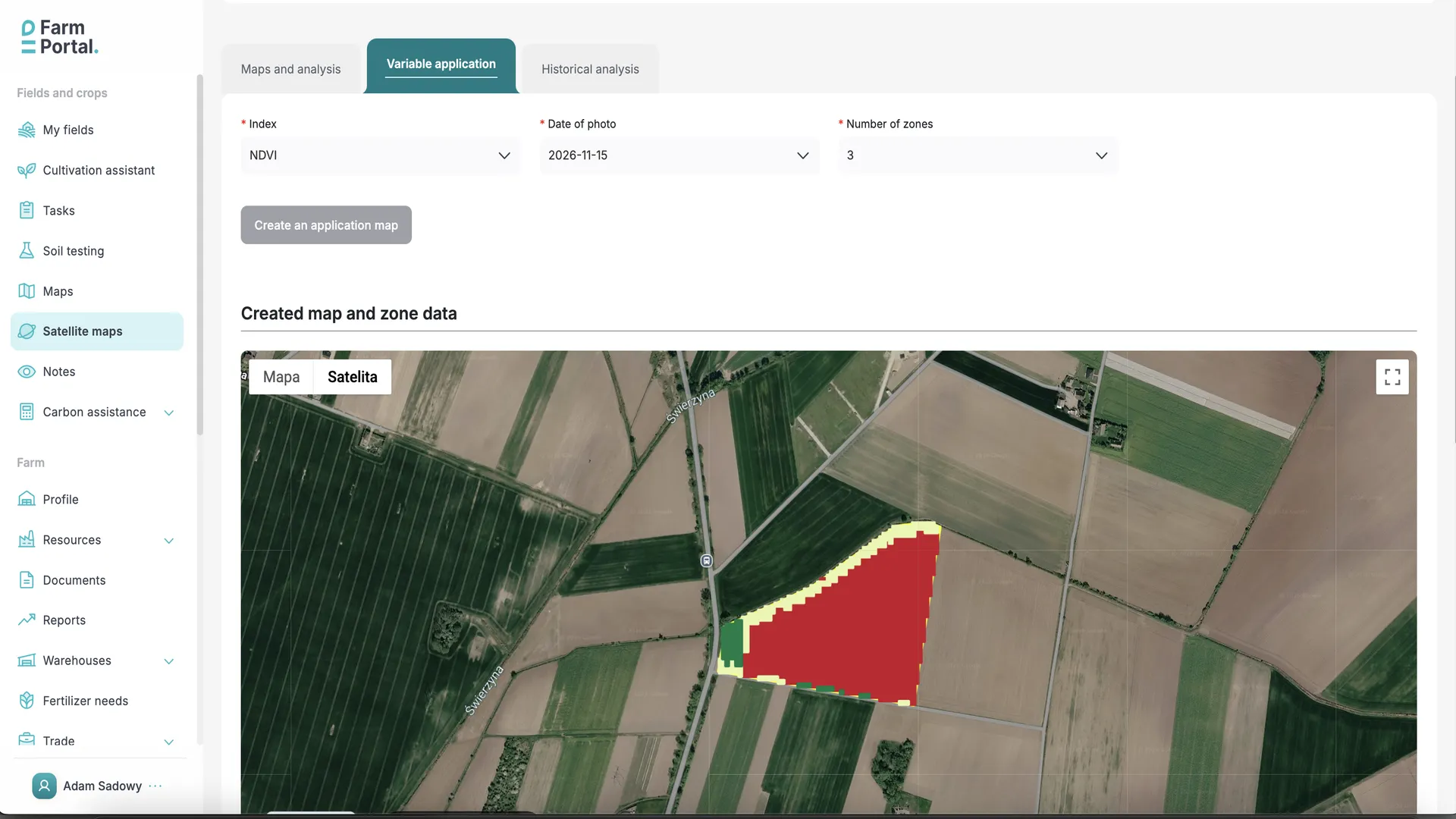
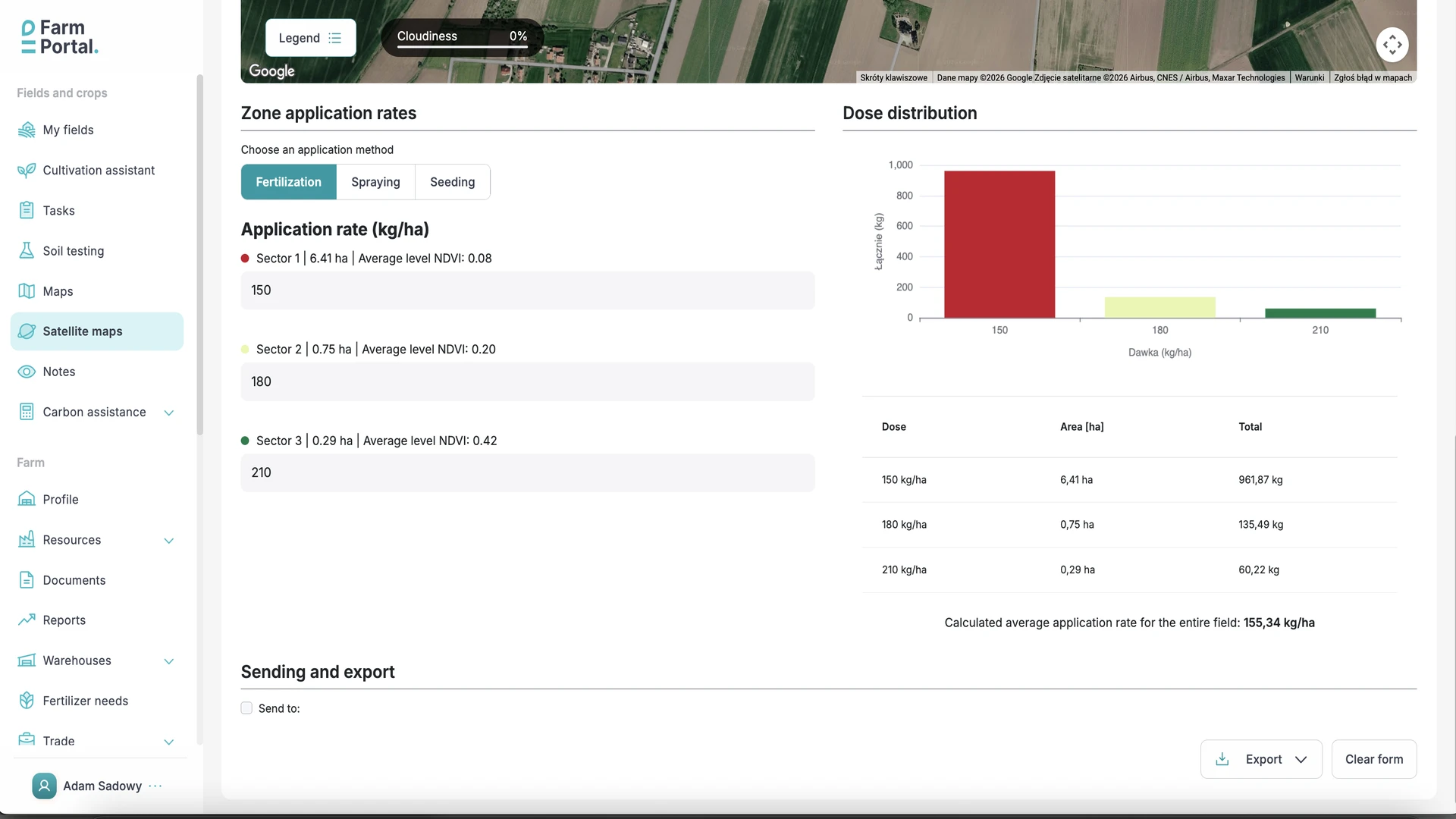
We have reorganised the tabs in the ‘Satellite maps’ view. In the browser, you can prepare an application map in the ‘Variable application’ tab, next to ‘Maps and analysis’ and ‘Historical analysis’. On the application map, you assign your own rate to each field zone.

- In the ‘Variable application’ tab, select the index, photo date and number of zones. If you choose NDVI, the field will be divided according to the value of this vegetation index in the satellite image.
- Select ‘Create an application map’. The ‘Created map and zone data’ section shows the zone boundaries. For each zone, you can check its area and average index value.
- Select fertilisation and enter a rate in kg/ha for each zone. The same form also lets you plan spraying and set seeding rates.
- Check the dose distribution and the calculated average application rate for the entire field, then export the map.
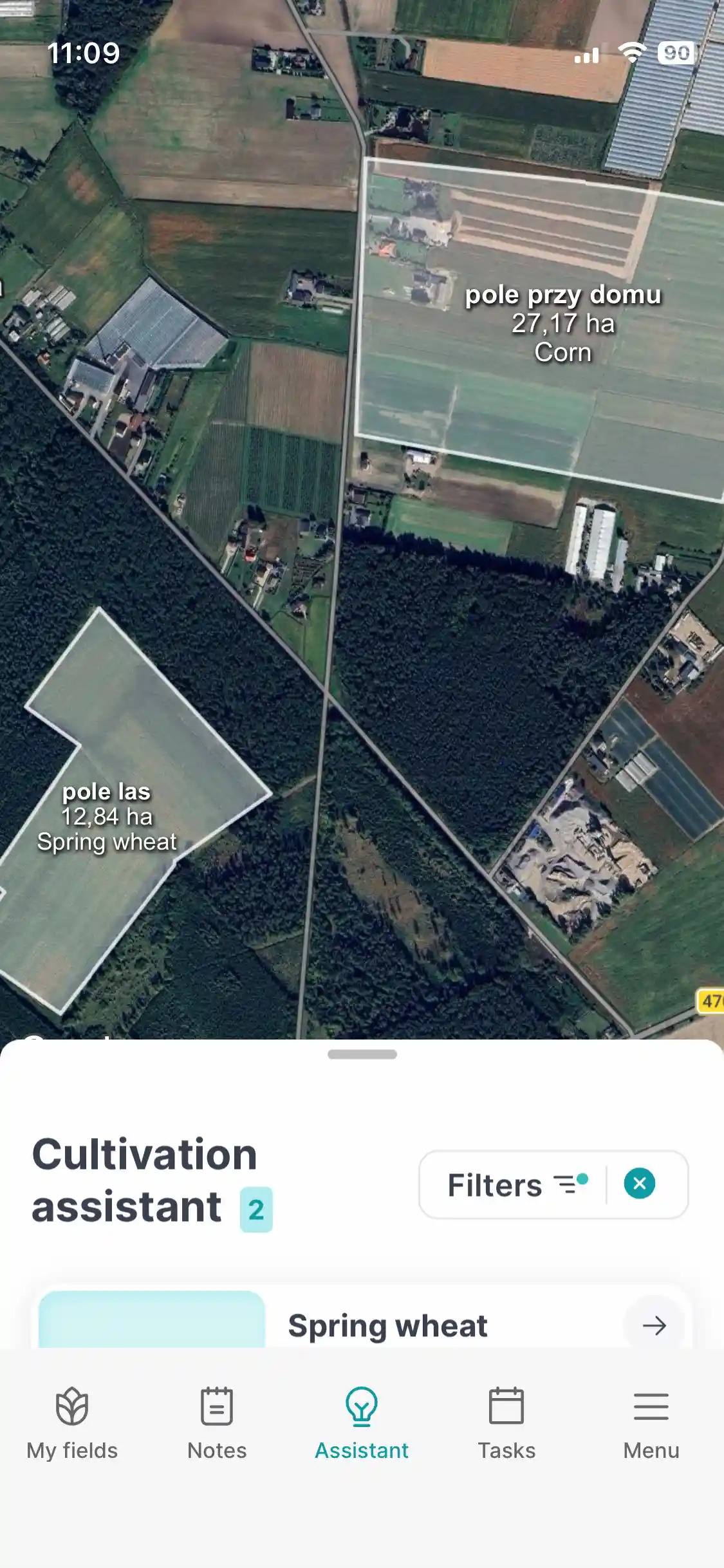
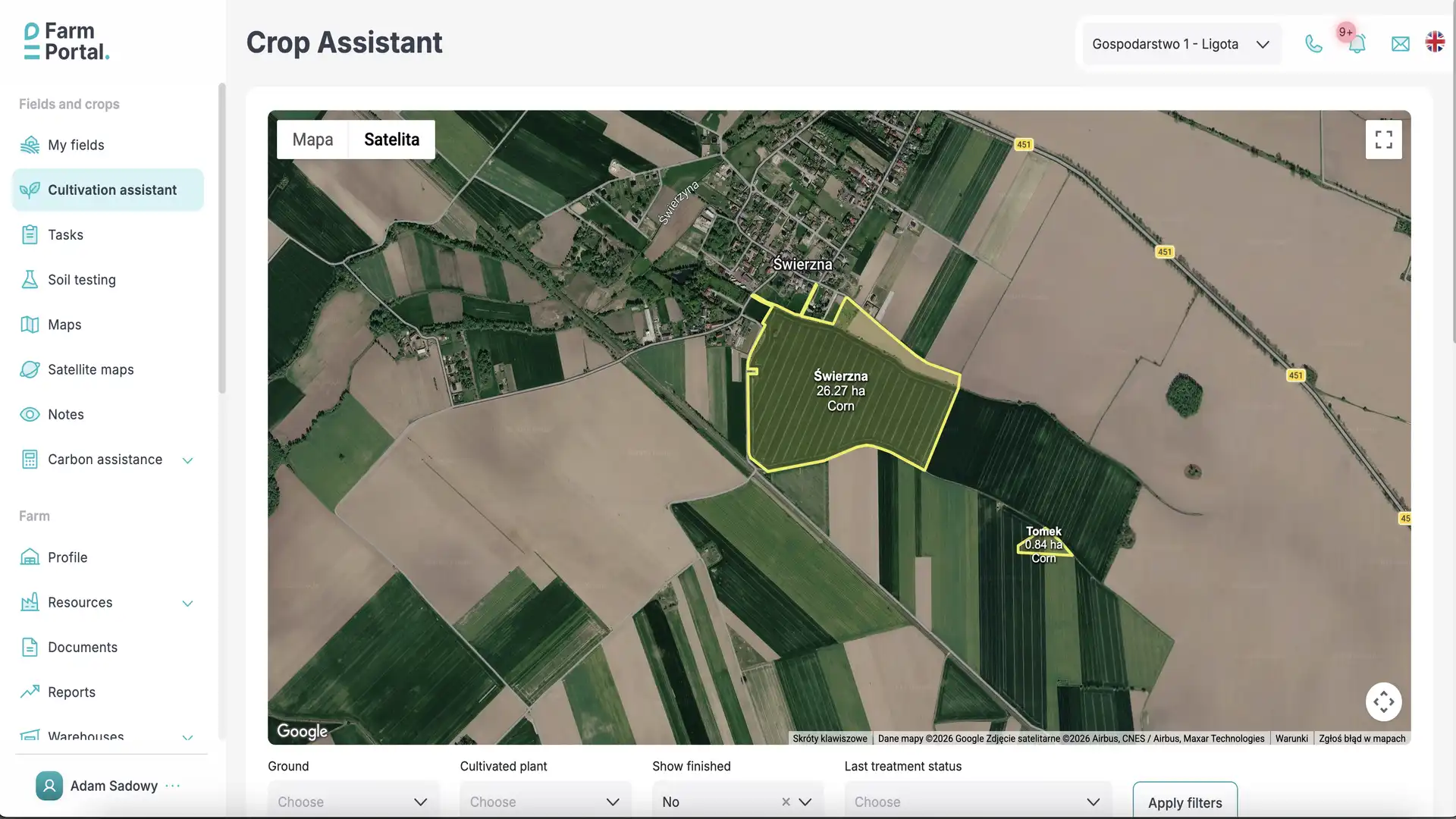
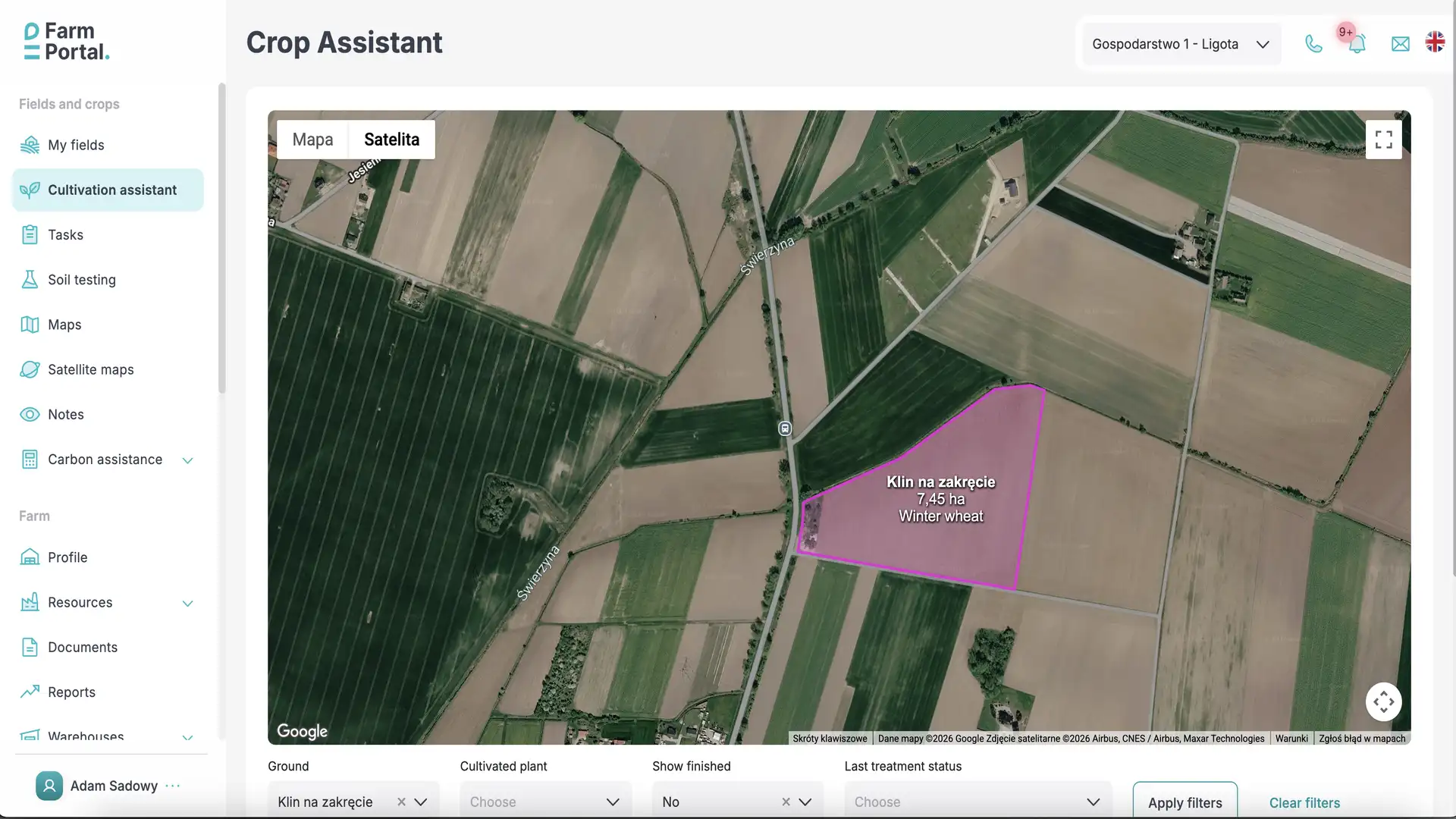
Field labels and custom crop colours in the Cultivation assistant
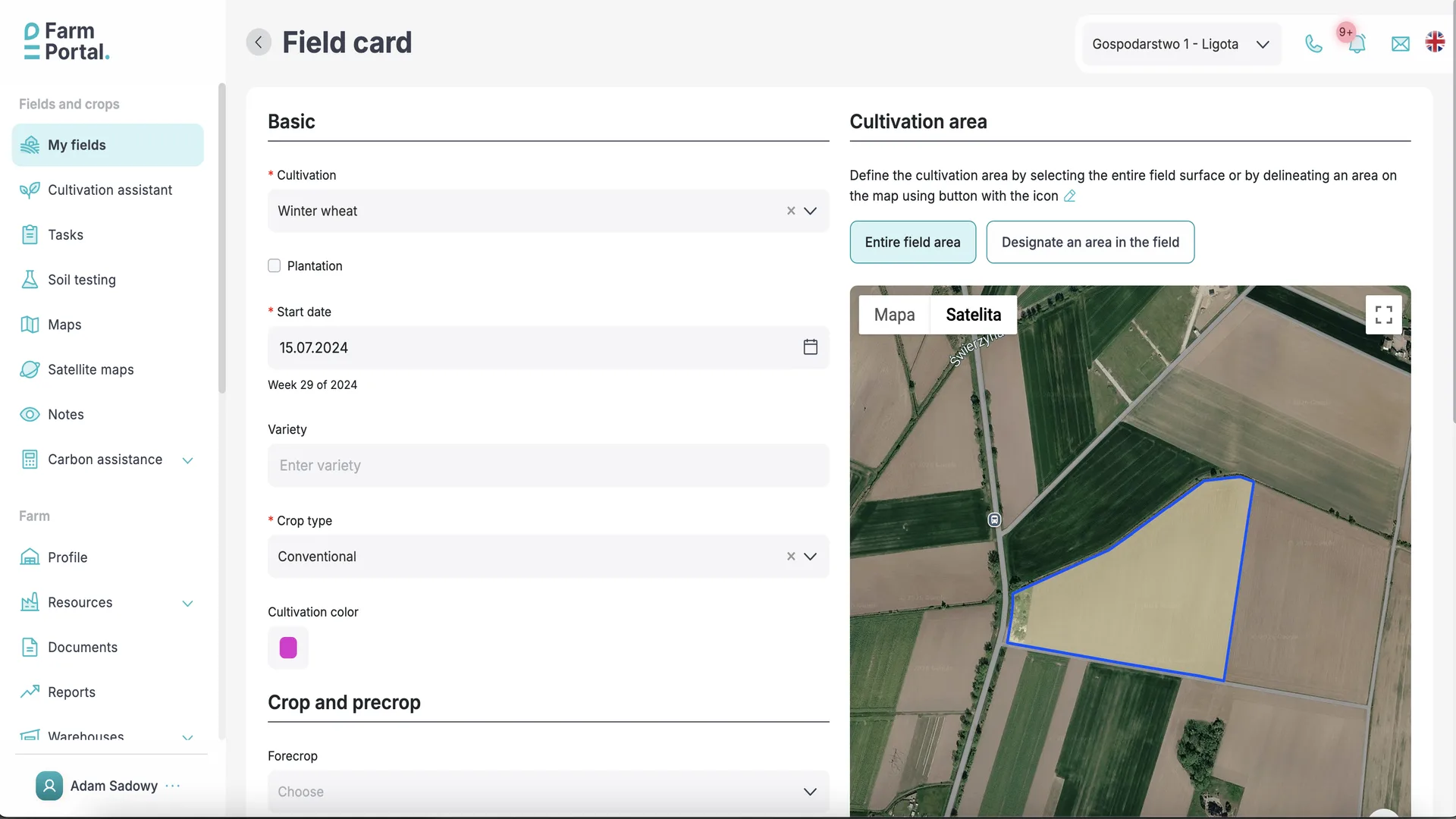
We have changed the labels on the Cultivation assistant map in the browser and mobile app. You can now see the name you give a field directly within its boundaries.
We have added the ‘Cultivation color’ option to the field card. Choose your own colour, and the Cultivation assistant uses it to mark the crop area on the map. For example, you can highlight drought-threatened crops in red to indicate which ones you want to check first.
During harvest, mark fields ready for harvesting in yellow and change their colour to green after harvesting. The map immediately shows where work has finished and which fields are still waiting for the combine.
Seven categories of employee qualifications and licences
We have expanded the list of qualifications you can assign to an employee in the ‘Qualifications’ tab. Below are examples of items in each category.
| Category | Example items |
|---|---|
| Agricultural machinery and vehicles | Category T driving licence, Agricultural tractor operation |
| Drones and precision agriculture | A1/A3 drone pilot competency, Multispectral drone operation |
| Plant protection products and fertilisation | Authorisation to use plant protection products, Operation of VRA variable rate application systems |
| Warehouses and logistics | Carriage of dangerous goods (ADR), Operation of cold stores and agricultural produce warehouses |
| Animal production | Biosecurity training, Milking equipment operation |
| Technical, occupational health and safety, and other | First aid training, G1 electrical qualifications |
| Quality certificates and qualifications | GLOBALG.A.P. training, HACCP training |
Building sections and subsections
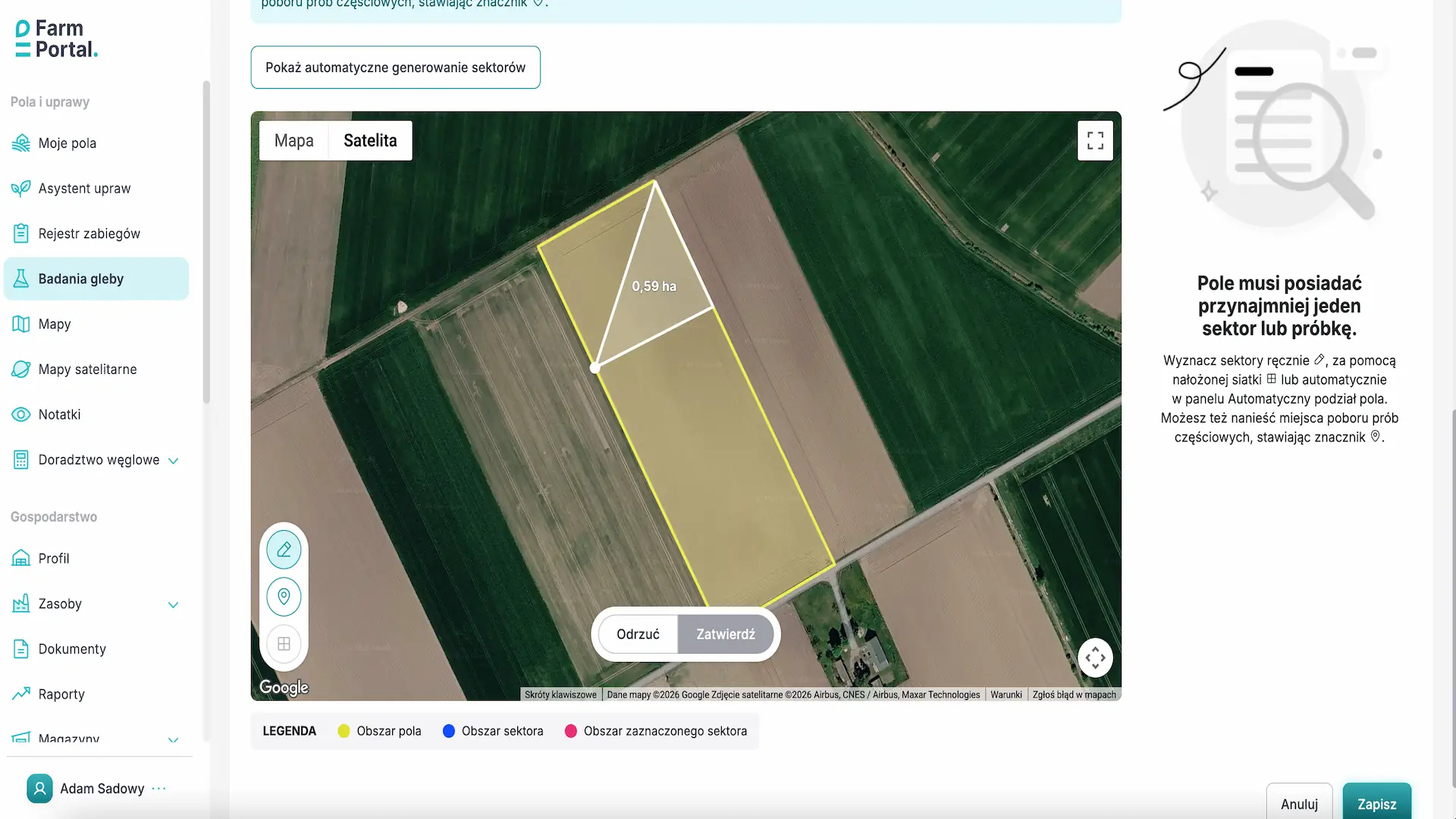
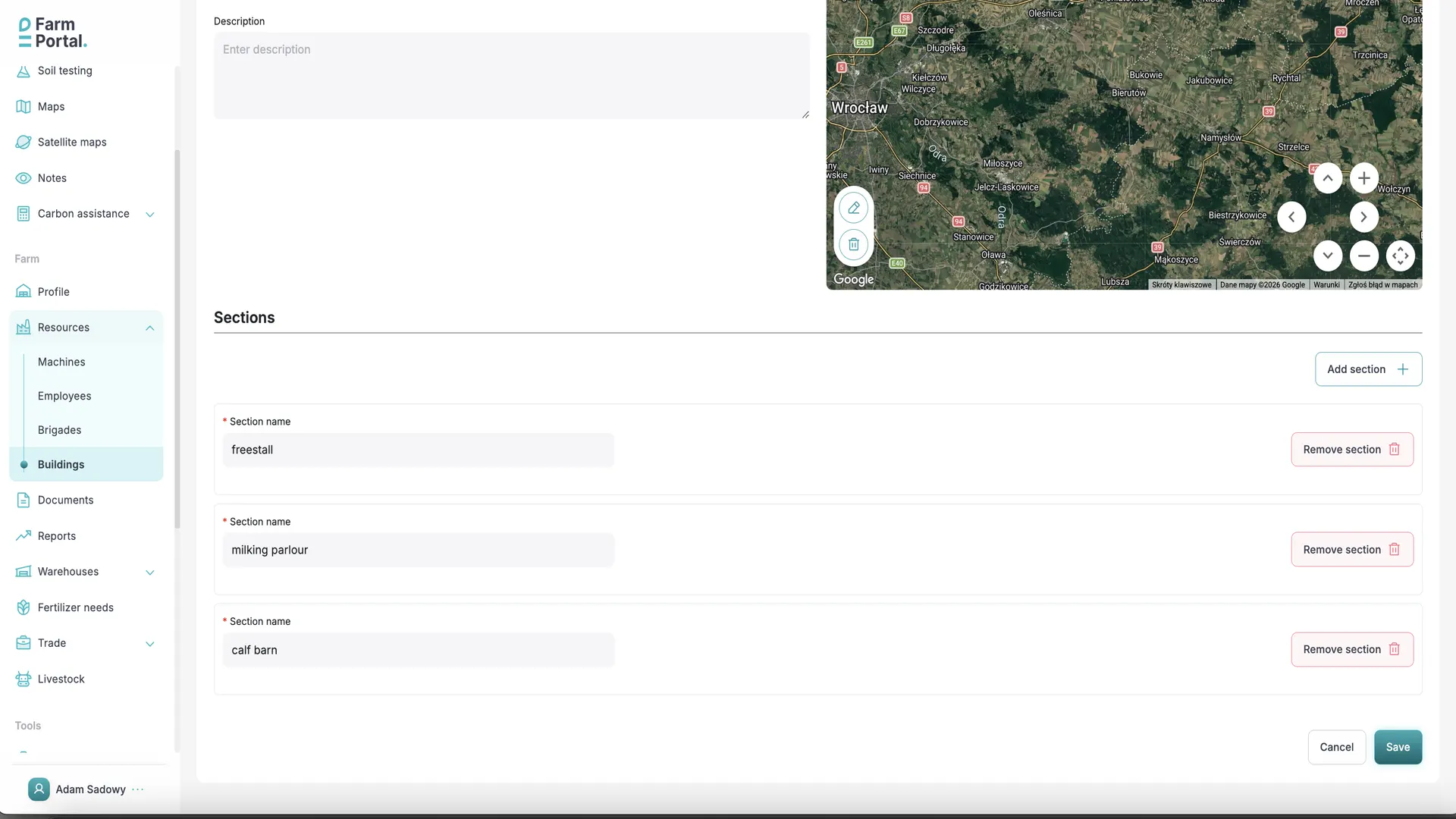
We have added the option to divide buildings into sections and subsections in the browser and mobile app. In a cold store, this lets you separate individual chambers; in a barn, you can mark climate zones, such as resting areas by a sunlit wall and pens near air inlets.
Before hot weather arrives, this division will help you plan barn checks. In areas where cattle are most exposed to heat stress, you can prioritise checking the temperature, air humidity and ventilation.
In the browser, open ‘Resources’ → ‘Buildings’, select a building and then ‘Add section’. In the ‘Section name’ field, enter the name of the chamber or zone, such as ‘Resting areas by the south wall’.
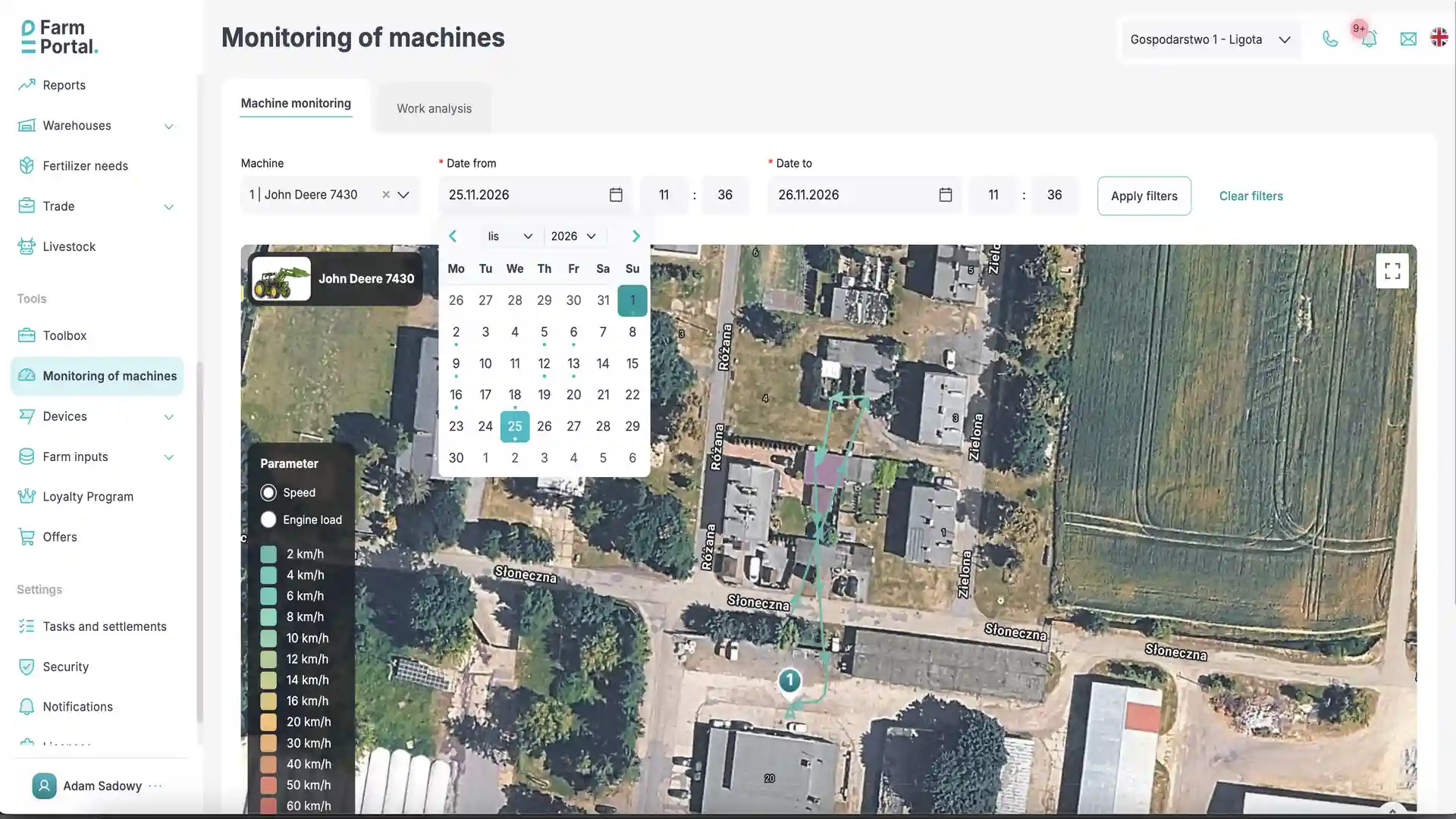
Machine work calendar
We have marked machine working days in the calendar. In the ‘Monitoring of machines’ view, select a machine and open the calendar in the ‘Date from’ field. Dots below the dates indicate the days on which that machine worked.
Livestock treatment records in FarmPortal
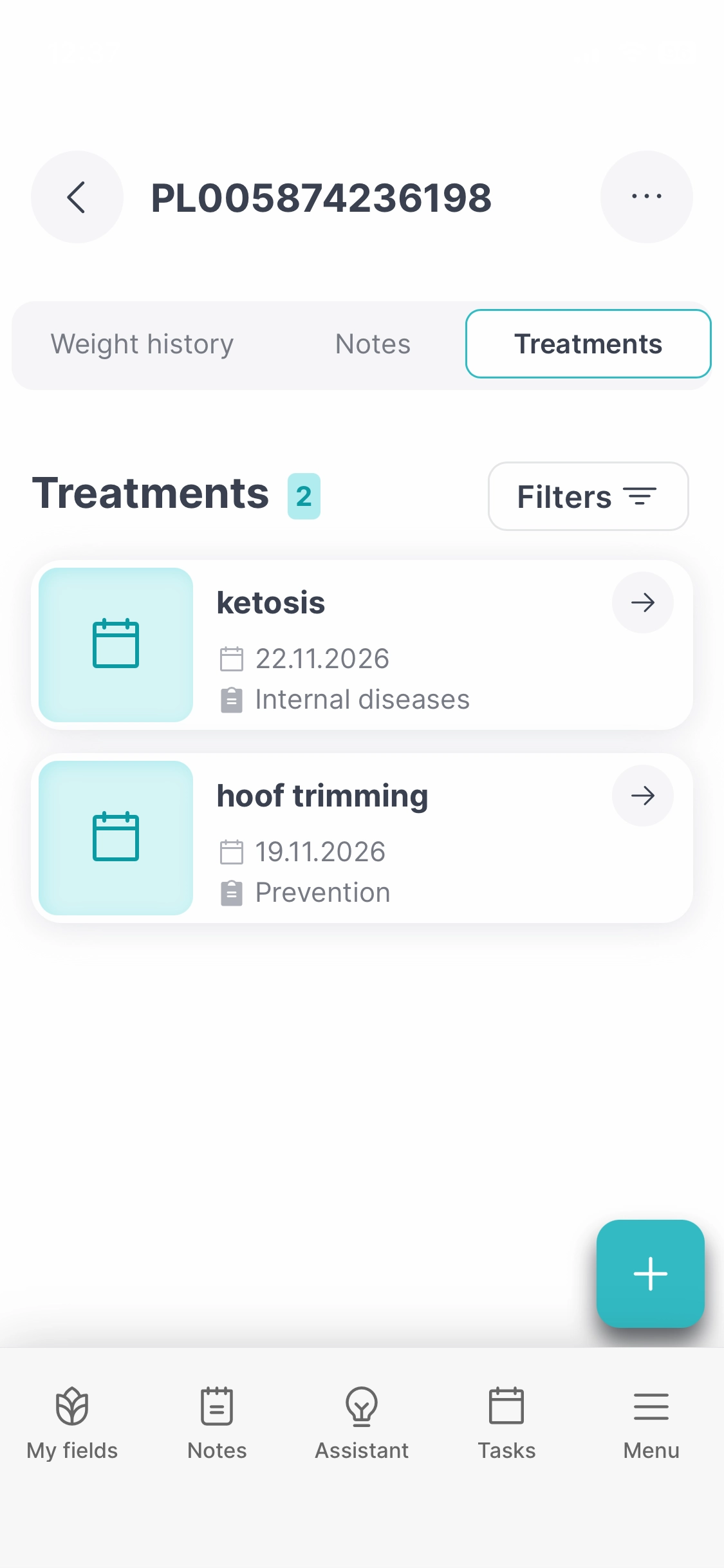
We have added the ‘Treatments’ tab to the ‘Livestock’ module in the browser and mobile app. You can update veterinary treatment records on your phone while still in the barn. If you need to revisit a particular cow’s examination a few weeks later, its history will show the visit date, provider and treatment description.
How can cattle treatment history help?
- Before a vet’s visit. You can return to the description of an individual animal’s previous examination. During the conversation, you can give the exact date and name of the preparation used, even if another household member or employee was present at that visit.
- When planning hoof trimming. Preventive care entries show when a cow last had its hooves trimmed, who carried it out and which actions were recorded. You have this information at hand when agreeing with the hoof trimmer which animals to attend to during the next visit.
- When treatment involves several cows. You record the preparation separately for each cow. If two animals received different preparations on the same day, you can later check which cow received a particular product.
How do you record a procedure or examination in the ‘Treatments’ tab?
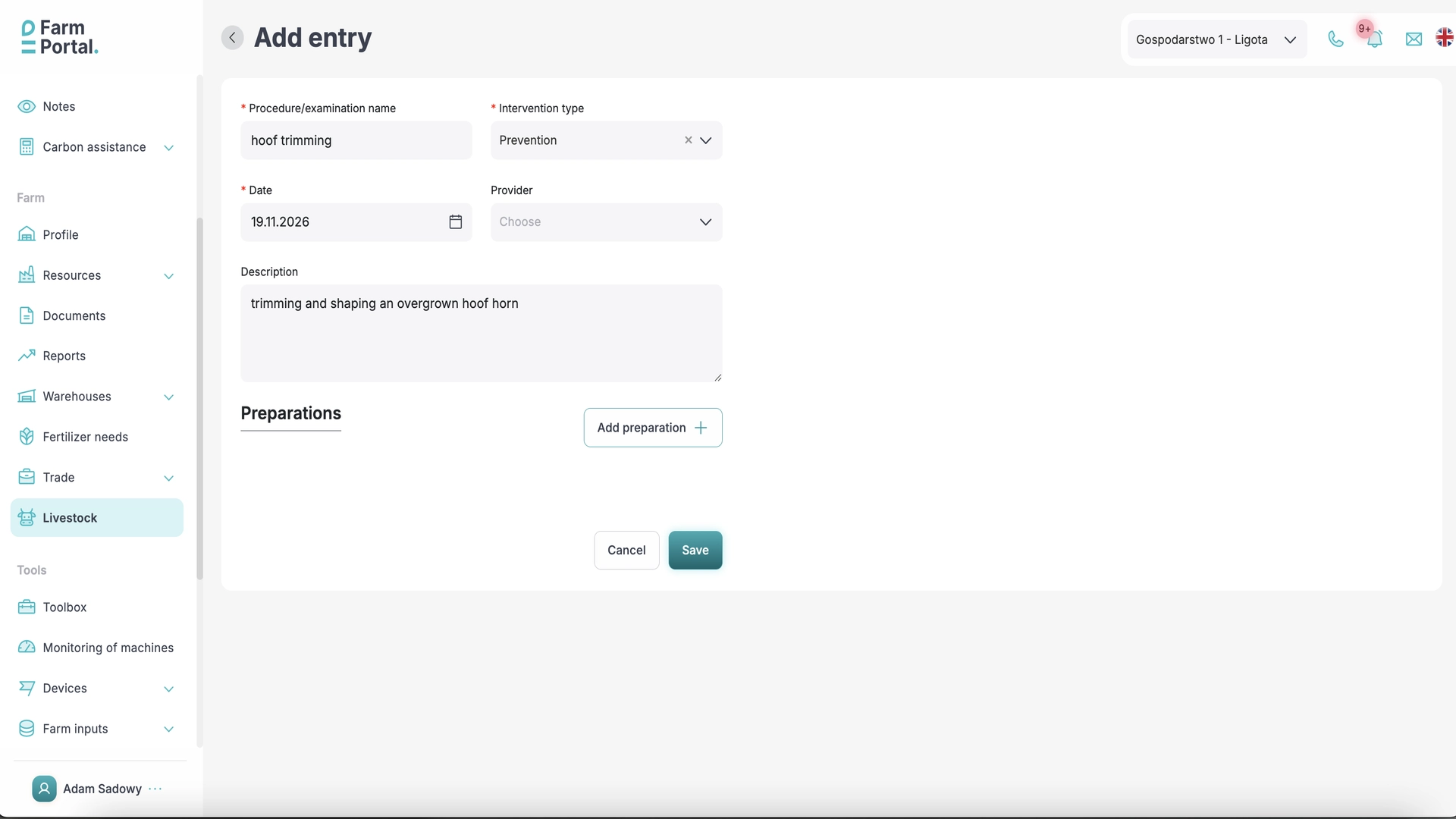
- In the ‘Livestock’ module, open the ‘Treatments’ tab and select ‘Add entry’.
- Complete the ‘Procedure/examination name’, ‘Intervention type’ and ‘Date’ fields. When recording preventive hoof trimming, select ‘Prevention’ as the intervention type.
- To record the provider, select them from the business partners list in the ‘Provider’ field. Enter what was done in the ‘Description’ field. If a preparation was administered, select ‘Add preparation’. Confirm the entry with ‘Save’.
End-of-work and parameter threshold alarms for AgriPak dryers
We have added two types of alarms for AgriPak mobile maize dryers integrated with FarmPortal. You can choose the notification channel in the alarm settings: a push notification on your phone, SMS or email.
- End of work. When the dryer finishes working, FarmPortal sends a notification through your chosen channel. If you are collecting maize from the field at the time, you will know that drying has finished without checking the machine’s status.
- Operating parameter threshold exceeded. When a monitored parameter exceeds the alarm threshold, you receive a notification while the dryer is still running. This is a signal to check the drying conditions.
BBCH stage on the first screen of the spraying form
We have reorganised the spraying form sections and moved the ‘BBCH’ field to the first screen. When recording a treatment in the field, you can immediately enter the crop growth stage observed on the day of spraying.
You record the BBCH stage when it is relevant to the particular use of the product. If the label specifies the range of stages during which spraying is permitted, enter the crop’s actual stage at the time of treatment. This is explained in footnote 7 in the Annex to Regulation (EU) 2023/564.
From 1 January 2027, new requirements apply in Poland to the content and format of plant protection treatment records kept by professional users. Details are provided in the WIORiN Rzeszów announcement on documenting treatments.
One weather station for several farms
We have added the option to assign one weather station to several organisations in FarmPortal. If two farms share a station, once it is assigned, each farm will see the same readings in its own organisation.
For example, farms with neighbouring fields can use measurements from one station and share its purchase cost. Temperature and rainfall totals come from the location where the shared station is installed.
Other changes
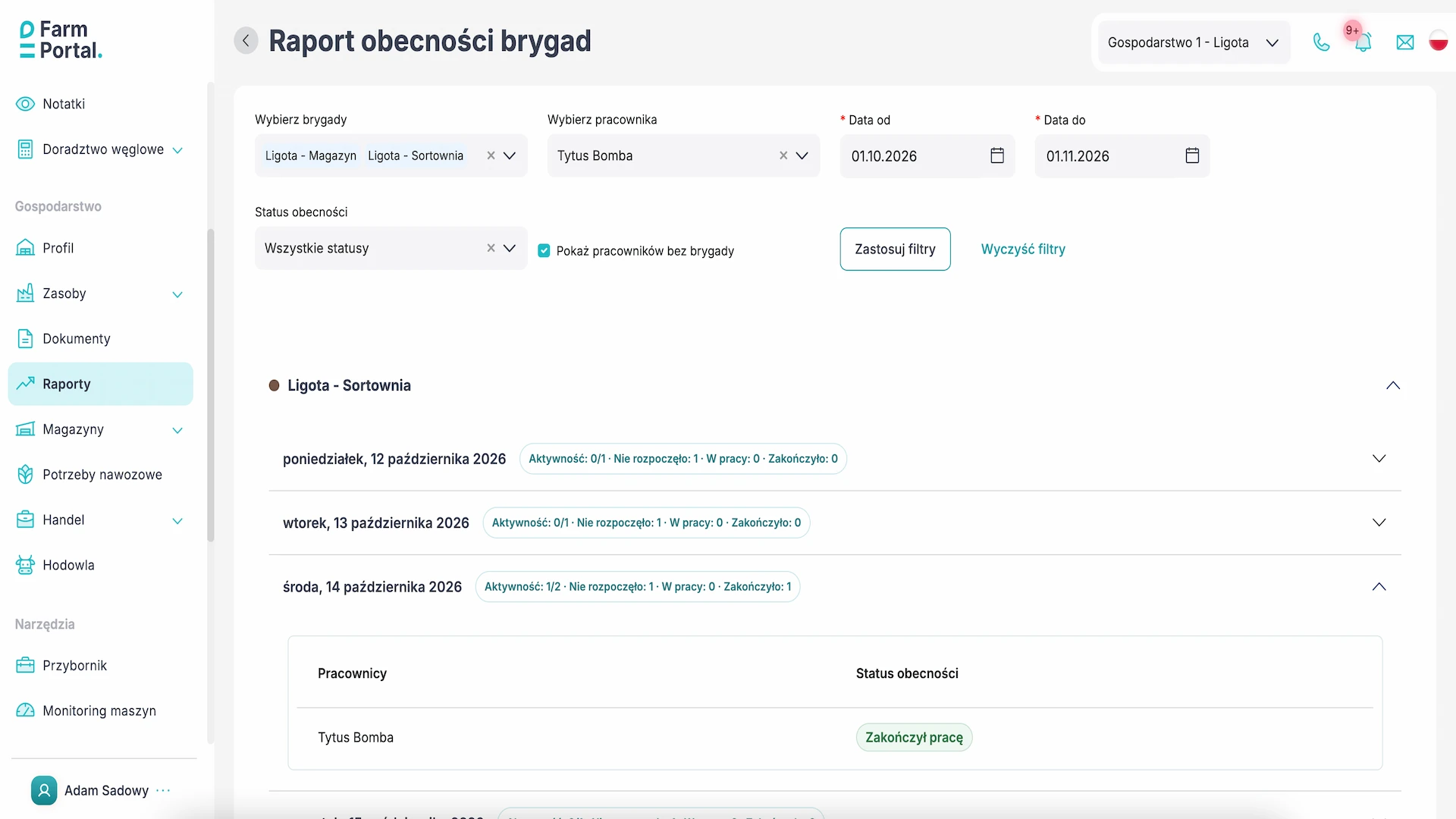
- We have added a counter of employees present. In the FarmPortal Worker app, you can read it in the employee attendance view.
- We have corrected the assignment of feels-like temperature values in weather station data.
- We have changed how often weather station data is retrieved. FarmPortal now retrieves it every two hours. Previously, it was retrieved every hour.
User questions after the FarmPortal update
Where can I check whose qualifications are about to expire?
The qualifications report shows which employees have qualifications about to expire and which qualifications are affected. This overview helps when preparing documentation for an inspection or certification.
Can two farms use one weather station?
Yes. We have introduced the option to assign the same weather station to several organisations. Each of those farms then uses data from the shared station.
How do I choose the notification method for an AgriPak dryer alarm?
You can choose the notification channel in the alarm configuration. Push notifications, SMS and email are available.
Where can I check how much fertiliser is planned at a particular rate?
Below the application map, you will find a table next to the dose distribution chart. The row for each rate shows the area in hectares and the total amount of fertiliser in kilograms. The average application rate for the entire field appears below the table.
Have a question about settings on your farm? Contact the FarmPortal team.
Related articles
- Variable rate spraying – application maps and rates
- EPPO codes in electronic plant protection treatment records
- Update 29 October 2026 – crews and licences
Open FarmPortal and prepare an application map for your field.